
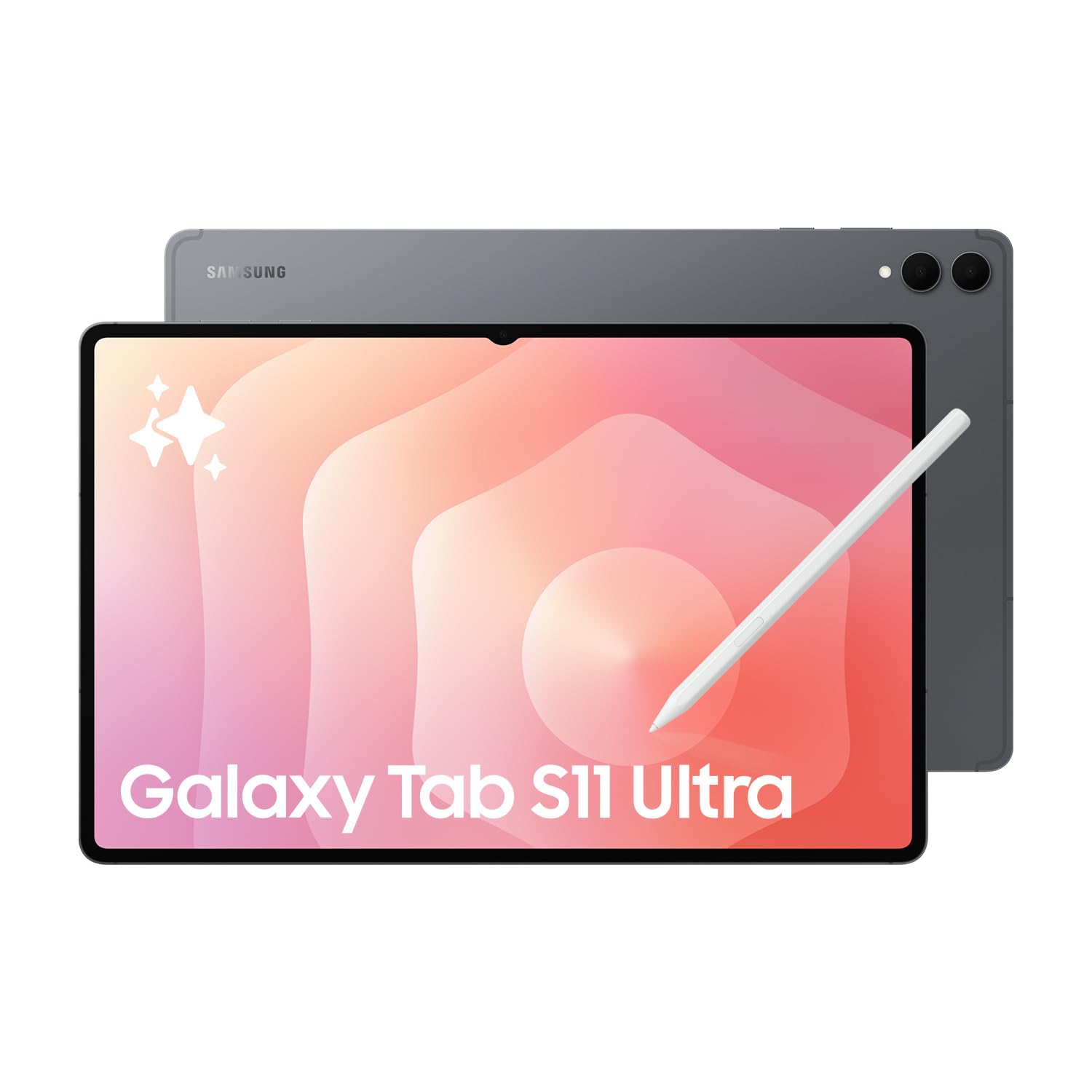
PIQSY verdict
Samsung Galaxy Tab S11 Ultra Verdict
PIQSY's decision-first verdict on the Galaxy Tab S11 Ultra Wi-Fi 12GB/256GB: when its 14.6-inch AMOLED workspace justifies the 692g portability trade-off.
Australian model checkedSM-X930NZAAXSA
Best fit
- 14.6-inch multi-window work
- Desk-first DeX productivity
- Large-canvas S Pen use
Skip if
- Portability is a priority
- A keyboard must be included
- Windows desktop software is required
Biggest reason to buy
The 14.6-inch AMOLED 120Hz workspace, DeX Extended Mode, USB 3.2, Wi-Fi 7 and included S Pen make the Ultra a specialist large-screen Android workstation.
Main compromise
The 692g tablet-only weight and 14.6-inch footprint are a serious portability cost, while keyboard and charger remain separate purchases.
Last checked price
$2,099 AUD
Amazon AU listing
Not enough owner ratings yet
8 ratings
checked 4 Oct
What matters
Why it earns consideration — and why you might skip it.
Who it fits
The Galaxy Tab S11 Ultra fits buyers who will repeatedly use a 14.6-inch premium Android workspace for multi-window productivity, drawing, large-document review, DeX or media and are willing to carry a much larger tablet to get it.
The Australian model we checked is SM-X930NZAAXSA — 14.6-inch, Wi-Fi, 12GB RAM, 256GB storage, Grey. Samsung specifies a 2960×1848 Dynamic AMOLED 2X display at 120Hz, MediaTek Dimensity 9400+, Wi-Fi 7, USB 3.2 Gen 1, microSD expansion up to 2TB, an included S Pen and an 11,600mAh battery in a 692g Wi-Fi chassis.
That gives the Ultra a coherent desk-first role. It should not win just because it is Samsung's largest flagship. If the extra display area is not used frequently, the size and weight become costs rather than benefits.
Decision snapshot
Choose it for
- 14.6-inch Dynamic AMOLED 2X 120Hz anti-reflective display
- 12GB/256GB exact AU Wi-Fi reference
- MediaTek Dimensity 9400+ platform
Know before buying
- 692g tablet-only weight and 14.6-inch footprint reduce handheld portability
- Keyboard is optional rather than included
- Travel adapter is sold separately
Retailer prices
Prices we've recently checked.
We keep retailer prices separate from product fit. Different retailers and marketplace sellers can show different prices, and prices and availability can change. Check the retailer before buying.
The Good Guys
$2,099
PIQSY price context
Above recent prices
About 14% above what we've recorded over recent weeks. We've recently seen this model lower.
What changes the decision
The 14.6-inch workspace is the reason to buy the Ultra
The Ultra's 14.6-inch Dynamic AMOLED 2X panel runs at 2960×1848 and 120Hz, with Samsung specifying up to 1,000 nits High Brightness Mode and 1,600 nits peak brightness plus an anti-reflective treatment.
That screen area matters when two apps routinely sit side by side, large spreadsheets or PDFs stay open for long sessions, drawing benefits from a broader canvas or media viewing is itself part of the purchase reason.
If the same work is comfortable at 11 inches, the Ultra's biggest advantage is no longer doing useful work. In that case, the smaller S11 preserves the flagship experience with far less bulk.
Portability is the main cost of the Ultra format
The Wi-Fi Ultra weighs 692g and is 5.1mm thick. PIQSY's controlled Galaxy Tab S11 reference weighs 469g at the same 12GB/256GB Wi-Fi tier.
The Ultra is therefore slightly thinner but 223g heavier before adding a case or keyboard. That difference matters far more to carried comfort than the small thickness advantage.
Desk, stand and lap use favour the Ultra. Frequent one-handed use, commuting and compact bags favour the standard S11. The buyer should decide where the tablet will physically spend its time before comparing secondary specifications.
The exact 12GB/256GB tier keeps the S11 comparison clean
SM-X930NZAAXSA has 12GB RAM and 256GB storage, matching PIQSY's controlled S11 comparison tier. Samsung offers higher-capacity Ultra variants, including a 1TB/16GB tier, but those sibling capabilities do not belong to this reference.
MicroSD expansion up to 2TB gives the exact model additional file-storage flexibility without changing the installed memory or internal-storage tier.
Holding memory and storage constant makes the core decision clearer: the Ultra is mainly about screen area, weight, battery and desk workflow rather than an artificially stronger configuration.
Dimensity 9400+, USB 3.2, Wi-Fi 7 and DeX support a desk-first workflow
Samsung specifies MediaTek Dimensity 9400+, USB 3.2 Gen 1 and Wi-Fi 7 for the S11 Ultra. DeX Extended Mode can use the tablet with a compatible external display and supports up to four customisable workspaces.
Those capabilities give the Ultra credible Android productivity headroom for multi-window work, faster wired transfers and a monitor-based setup.
They still do not turn Android into Windows. The compatible keyboard is sold separately, and buyers who require Windows-only applications, drivers or corporate software should solve the platform requirement first rather than using hardware specifications as a substitute.
Included S Pen and the larger battery support long creative and media sessions
Samsung includes the redesigned S Pen. The current S11-series pen does not support BLE functions, so earlier Bluetooth remote-style assumptions should not be carried forward.
The Ultra also has an 11,600mAh typical battery, supports 45W charging, and Samsung rates it for up to 23 hours of wireless video playback under its test conditions.
Those features suit long drawing, annotation, media and desk sessions, but the runtime figure remains a manufacturer test result rather than a guaranteed owner outcome. The travel adapter is also sold separately.
Wi-Fi exactness, IP68 and thin owner feedback set the final boundaries
SM-X930NZAAXSA is a Wi-Fi reference. Samsung sells separate S11 Ultra 5G variants, but this exact model and its price cannot satisfy a cellular-required buyer.
Samsung applies its IP68 proposition to the tablet and included S Pen under stated conditions. That is useful durability context, not a waterproof claim.
owner feedback remains deliberately separate from fit. The frozen local Amazon pull contained only two identity-verified observations, while Samsung's larger hosted review feed mixes origins. PIQSY therefore does not use owner sentiment to strengthen the recommendation beyond the verified capability case.
Owner views
Owner feedback still developing
6 source ratings on Amazon AU; sample too small to show a meaningful star score.
There is not enough exact-model owner feedback yet for a stable consensus.
Who should choose something else
The Ultra should lose whenever the extra workspace is not earning back its size and weight.
- Switch to the Galaxy Tab S11 when you want AMOLED 120Hz, S Pen, DeX, USB 3.2 and expandable storage in a much easier-to-carry 11-inch, 469g format.
- Choose the Galaxy Tab S10 FE+ when the core need is a large Samsung canvas for notes, documents and media but the Ultra's flagship display, I/O and DeX ceiling are not required.
- Choose the Surface Pro 13 when Windows desktop applications or corporate software are non-negotiable; DeX improves Android productivity but does not change application compatibility.
If iPadOS-specific creative software or Apple ecosystem integration is the hard requirement, compare the iPad Pro rather than forcing the Ultra into a platform mismatch.
PIQSY conclusion
Buy the Galaxy Tab S11 Ultra when a 14.6-inch premium Android workspace is itself a requirement. Its strongest case is the combination of AMOLED 120Hz display area, 12GB RAM, DeX Extended Mode, included S Pen, USB 3.2 Gen 1, Wi-Fi 7 and expandable storage, backed by the larger 11,600mAh battery.
Do not buy it simply to own the highest Samsung tier. A 692g tablet before accessories is a meaningful portability commitment, the keyboard and charger are separate, and the version reviewed here is Wi-Fi only.
The final buying question is simple: will you repeatedly use the extra 14.6-inch workspace enough to accept the larger body and weight? If yes, the Ultra has a coherent role. If not, the standard S11 is the more proportionate flagship.
Final decision
Ready to choose, or want one more check?
Buying options
Check the current offer.
$2,099 AUD
Prices and availability can change.
Quick answers
Frequently asked questions
Who is the Samsung Galaxy Tab S11 Ultra best for?
14.6-inch multi-window work
What should I compare first on the Samsung Galaxy Tab S11 Ultra?
The published Display figure PIQSY uses is 14.6-inch Dynamic AMOLED 2X with anti-reflection, 2960x1848 WQXGA+, 120Hz; up to 1000 nits High Brightness Mode and 1600 nits peak brightness. Treat it as one decision input alongside the practical trade-offs in the Verdict, not as a universal ranking.
When should I choose something else instead of the Samsung Galaxy Tab S11 Ultra?
Portability is a priority
What is PIQSY's short read on the Samsung Galaxy Tab S11 Ultra?
PIQSY's decision-first verdict on the Galaxy Tab S11 Ultra Wi-Fi 12GB/256GB: when its 14.6-inch AMOLED workspace justifies the 692g portability trade-off.
Technical detail
Specifications
See full specifications
| Platform | ANDROID |
|---|---|
| Reference Pricing Configuration | SM-X930NZAAXSA, 14.6-inch, 12GB/256GB, Wi-Fi, Grey |
| Display | 14.6-inch Dynamic AMOLED 2X with anti-reflection, 2960x1848 WQXGA+, 120Hz; up to 1000 nits High Brightness Mode and 1600 nits peak brightness |
| Processor | MediaTek Dimensity 9400+ |
| Memory | 12GB reference configuration |
| Storage | 256GB reference configuration; family Wi-Fi options include 256GB/512GB/1TB; microSD expansion up to 2TB |
| Weight | 692g Wi-Fi reference configuration |
| Dimensions | 208.5 x 326.3 x 5.1mm |
| Wireless | Wi-Fi 7; Bluetooth 5.4 |
| Connectivity | Wi-Fi reference configuration; separate Galaxy Tab S11 Ultra 5G family variants are sold in Australia |
| Cameras | 13MP main + 8MP ultra-wide rear; 12MP ultra-wide front; rear video up to UHD 4K 30fps |
| Battery | 11600mAh typical; Samsung rates up to 23 hours wireless video playback; supports 45W charging |
| Stylus | Redesigned hexagonal S Pen with cone-shaped tip; included in the box; BLE not supported |
| Pen Included | Yes |
| Keyboard | Supports Galaxy Tab S11 Ultra Book Cover Keyboard Slim |
| Keyboard Included | No |
| Wall Adapter Included | No |
| Ports | USB-C, USB 3.2 Gen 1 |
| Cellular Family Available | Yes |
| Water Dust Resistance | IP68 for Galaxy Tab S11 Ultra and included S Pen under Samsung conditions |
| Frame | Armour Aluminum |
| Dex | Samsung DeX Extended Mode supports tablet plus compatible external display and up to four customisable workspaces |
| Security Update Valid Until | 2032-09-30 |
Keep Exploring
Research provenance
See how PIQSY verified this recommendation.
Research provenance
See how PIQSY verified this recommendation.
How we checked this
How PIQSY checked this product
We checked the Australian model and dated manufacturer or retailer sources rather than borrowing specifications from an overseas variant.
Australian model checked
SM-X930NZAAXSA, 14.6-inch, 12GB/256GB, Wi-Fi, Grey
Model / identifier: SM-X930NZAAXSA
Sources used
Manufacturer · Australian retailer · Amazon AU
Sources checked through 1 Sept 2026
Last checked
2 Sept 2026
Price checked 25 Oct 2026
Hands-on testing: PIQSY has not physically tested this product for this page unless hands-on testing is explicitly disclosed.
What we could and couldn’t verify: If specifications conflict, cannot be matched to the Australian variant or cannot be confirmed, we leave them unresolved rather than guessing. Owner feedback is shown only when we can attribute it to the product we checked.
See models and source details
Sources used
- Manufacturer · samsung.com · checked 1 Sept 2026
- Manufacturer · news.samsung.com · checked 1 Sept 2026
- Australian retailer · thegoodguys.com.au · checked 1 Sept 2026
- Amazon AU · amazon.com.au · checked 1 Sept 2026