
PIQSY Compare
Samsung Galaxy Tab S11 vs Samsung Galaxy Tab S11 Ultra
Compare Galaxy Tab S11 and S11 Ultra on 11-inch portability versus a 14.6-inch flagship workspace, with matched 12GB/256GB Wi-Fi references.
The choice that matters
Choose the portable Samsung flagship for travel.
Choose the larger Samsung flagship for desk-based work.
Decision snapshot
Start with how you’ll use it.
Samsung
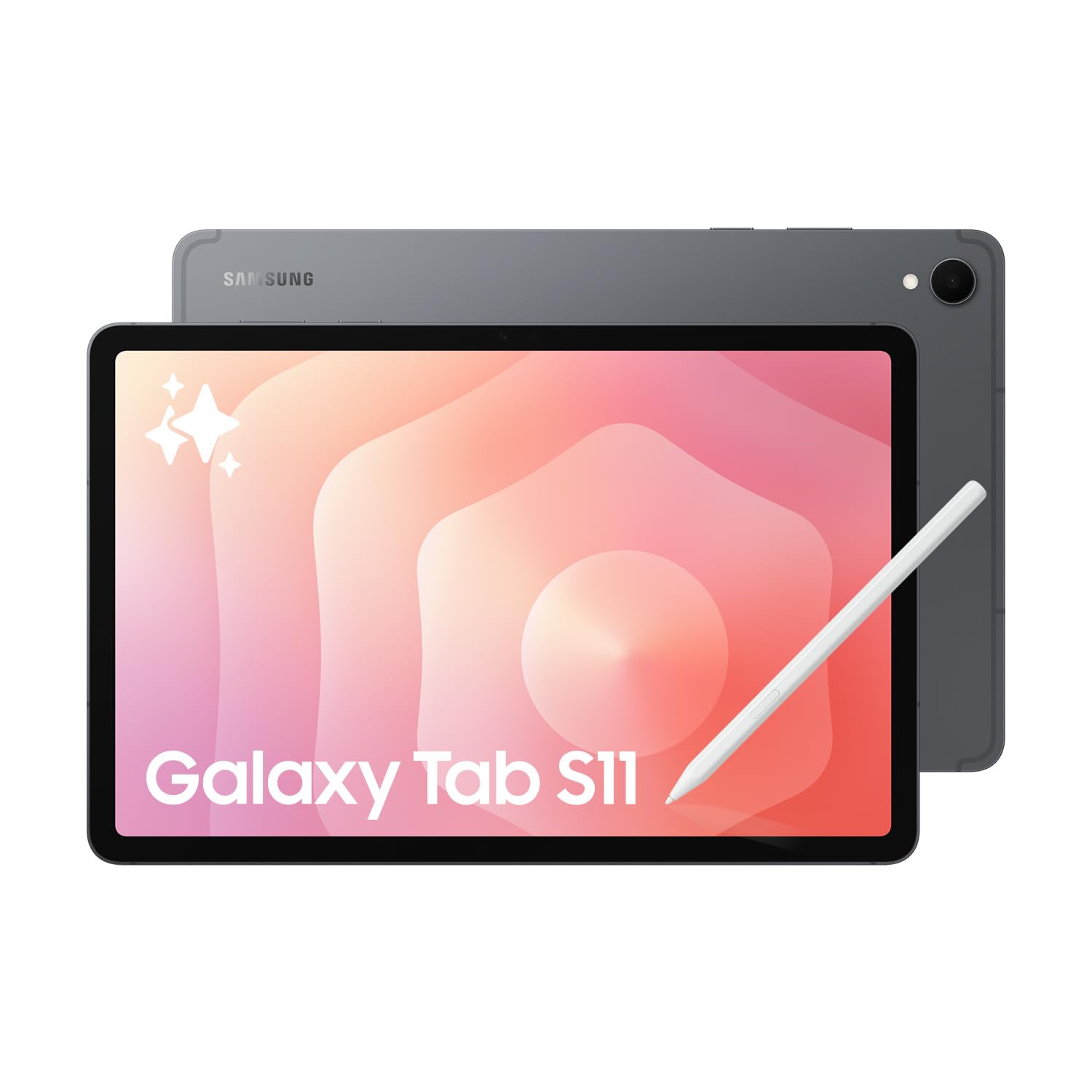
Samsung Galaxy Tab S11
Best fit: Portable flagship Samsung
Biggest reason: 11-inch Dynamic AMOLED 2X 120Hz display with strong Samsung brightness specification
Main compromise: Keyboard is optional
Last checked price
$1,599 AUD
About 10% above recent prices
Lowest recorded $1,299.00 · 1 Sept
Samsung
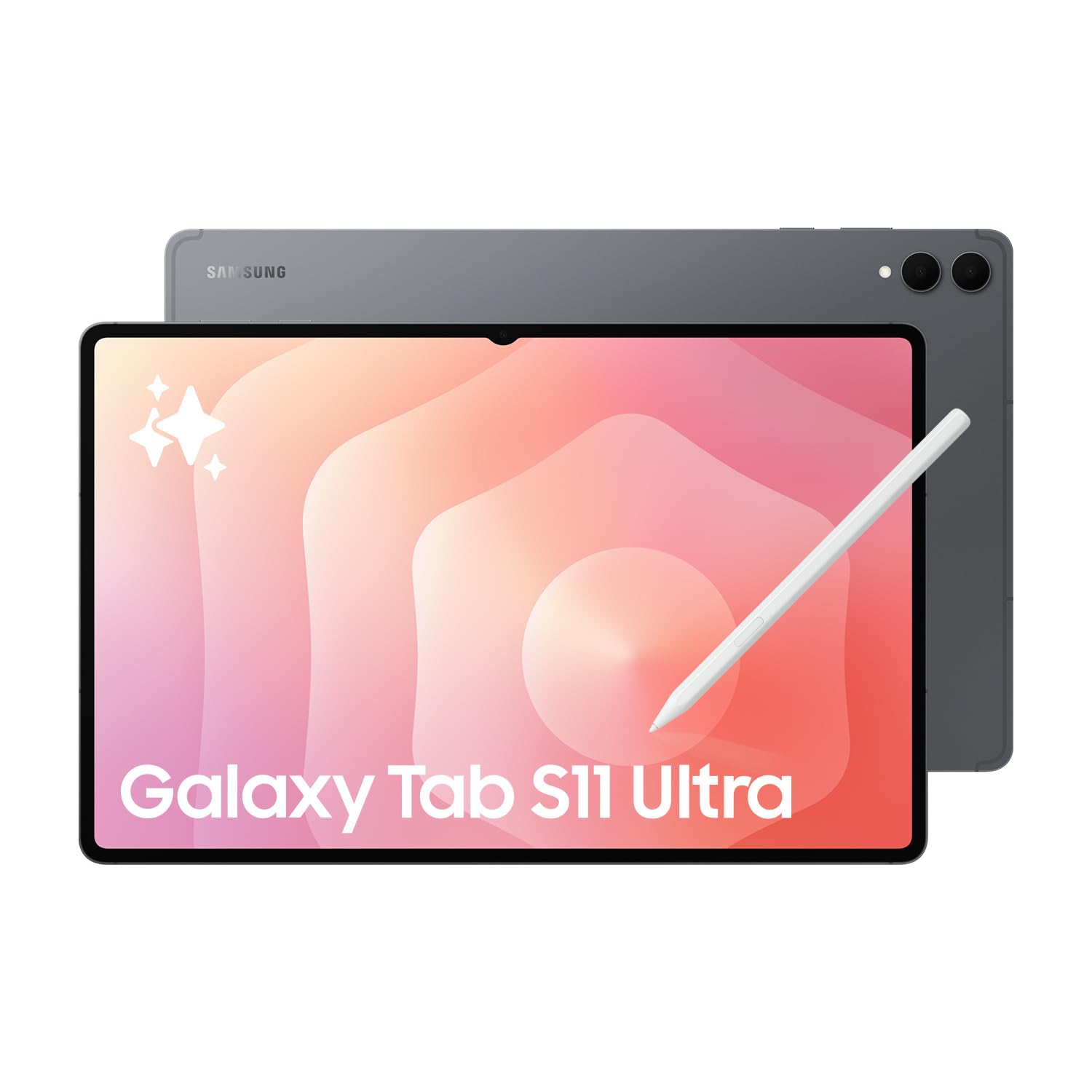
Samsung Galaxy Tab S11 Ultra
Best fit: Maximum Samsung workspace
Biggest reason: 14.6-inch Dynamic AMOLED 2X 120Hz anti-reflective display with 1600-nit peak specification
Main compromise: 692g tablet-only weight and 14.6-inch footprint reduce handheld portability
Last checked price
$2,099 AUD
About 14% above recent prices
Lowest recorded $1,599.00 · 6 Sept
Key metrics
The measurable differences worth seeing side by side.
Bar length shows relative stated magnitude only. It is not a quality score or PIQSY rating.
Screen size
11 in
14.6 in
Weight
469 g
692 g
Key differences
The key differences at a glance.
These confirmed specifications differ. The advice below explains which ones matter for your needs.
8400mAh battery
11600mAh battery
165.3 x 253.8 x 5.5mm
208.5 x 326.3 x 5.1mm
11.0-inch Dynamic AMOLED 2X, 2560x1600 WQXGA, 120Hz; up to 1000 nits High Brightness Mode and 1600 nits peak brightness
14.6-inch Dynamic AMOLED 2X with anti-reflection, 2960x1848 WQXGA+, 120Hz; up to 1000 nits High Brightness Mode and 1600 nits peak brightness
Octa-core with CPU speeds up to 3.73GHz / 3.3GHz / 2.4GHz
MediaTek Dimensity 9400+
256GB reference configuration; family Wi-Fi options 128GB/256GB/512GB; microSD expansion up to 2TB
256GB reference configuration; family Wi-Fi options include 256GB/512GB/1TB; microSD expansion up to 2TB
469g Wi-Fi reference configuration
692g Wi-Fi reference configuration


What matters when choosing
What you'll actually notice
This is one of the cleaner flagship-tablet decisions because PIQSY is comparing matched Wi-Fi, 12GB RAM and 256GB storage references: Galaxy Tab S11 SM-X730NZAEXSA and Galaxy Tab S11 Ultra SM-X930NZAAXSA. You are not being pushed toward the Ultra by a mismatched memory tier or a cellular model. The difference you will feel every day is physical scale.
Galaxy Tab S11 puts Samsung's flagship tablet platform into an 11-inch, 469g body. Galaxy Tab S11 Ultra stretches the experience to 14.6 inches and 692g. The Ultra gives you much more room for side-by-side documents, large canvases and desk-based media, but it is also 223g heavier before a case or keyboard is added.
Both remain premium Samsung tablets. Both provide Dynamic AMOLED 2X, S Pen support, Samsung DeX, 12GB RAM, 256GB storage and microSD expansion up to 2TB. So do not read the Ultra name as proof that the smaller S11 is a compromised flagship. The useful question is whether the larger canvas solves enough real problems to repay the carrying burden.
What changes the choice
Will 14.6 inches change how you work?
The S11 uses an 11.0-inch Dynamic AMOLED 2X display. The S11 Ultra expands that to 14.6 inches.
What this means: the Ultra can make split-screen work, large PDFs, drawing, timelines and desk-based media feel less constrained. The standard S11 is easier to treat as a tablet first: something you can pick up, carry between rooms and use in places where a 14.6-inch slab feels oversized.
The larger panel matters most when you repeatedly use two apps together or need a large visual canvas. It matters much less if the device is mainly for reading, browsing, messaging, streaming and ordinary note-taking.
Switch when: choose Ultra when the larger workspace is a weekly productivity benefit, not merely impressive in a showroom. Stay with S11 when 11 inches already fits the apps you actually use.
Does 223g matter to your ownership pattern?
The Wi-Fi references weigh 469g for S11 and 692g for S11 Ultra.
What this means: 223g is a meaningful tablet-only difference before you add a cover, keyboard or other accessories. It affects how comfortable the device is to hold, how much it adds to a work bag and how readily you use it away from a desk.
The Ultra is actually thinner at 5.1mm versus 5.5mm, but thickness should not be mistaken for easier carrying. Its much larger footprint and higher mass dominate the physical experience.
Switch when: favour S11 for frequent commuting, handheld reading and travel. Move to Ultra when the device will often rest on a desk, stand or lap and the larger screen earns its physical cost.
Are you expecting extra memory or storage just because it says Ultra?
Not in these exact references. Both have 12GB RAM and 256GB internal storage, and both support microSD expansion up to 2TB.
What this means: you do not need the Ultra to obtain more RAM or expandable storage in this comparison. Higher-capacity Ultra family configurations exist, but they are different SKUs and should be compared as such.
Switch when: do not move to Ultra because of an assumed storage advantage. If you specifically need 512GB or 1TB internal storage, compare the exact higher-capacity configuration instead of transferring that specification to this 256GB reference.
Do you need cellular?
Both exact products on this page are Wi-Fi models. Samsung sells separate 5G family variants.
What this means: a mobile-data requirement changes the configuration, price and exact product identity. It should not be smuggled into a Wi-Fi comparison.
Switch when: if native cellular is mandatory, compare equivalent 5G SKUs before deciding between sizes. Do not treat either Wi-Fi reference as satisfying that requirement.
Is battery capacity part of the reason for the larger body?
Galaxy Tab S11 uses an 8400mAh typical battery and Samsung rates it for up to 18 hours of wireless video playback. S11 Ultra uses 11,600mAh and carries an up-to-23-hour Samsung wireless-video rating.
What this means: the Ultra has substantially more stated battery capacity and a longer manufacturer video rating, but this is not a controlled PIQSY runtime test. Screen size, brightness, radios and workload still affect real use.
Switch when: let the larger battery strengthen an existing Ultra use case; do not buy the larger tablet purely because the capacity number is higher.
Does the extra camera matter?
S11 has a 13MP rear camera and 12MP front camera. S11 Ultra adds an 8MP secondary rear camera alongside its 13MP main rear camera, while retaining a 12MP front camera.
What this means: the Ultra has more rear-camera hardware, but tablet cameras are rarely the central reason to accept a much larger device.
Switch when: count this as a useful extra only if scanning, capture or tablet-based camera work is genuinely part of your workflow.
The practical choice
Start with where the tablet will spend most of its life. If it moves with you, gets held for reading and notes, or needs to disappear into a normal work bag without becoming a burden, the Galaxy Tab S11 keeps the flagship Samsung experience in the more coherent form factor.
If it will often sit on a desk or stand and you regularly use split-screen apps, large documents, drawing canvases or media where extra physical area is genuinely useful, the Galaxy Tab S11 Ultra makes sense. You are paying for workspace, not for a hidden performance class that the smaller model lacks.
The strongest reason to choose the Ultra is therefore not "more flagship". It is that 14.6 inches changes the job enough to justify 692g.
When to choose Galaxy Tab S11
- You want flagship Samsung display, S Pen and DeX capability in an 11-inch format.
- The tablet is carried often or used handheld for meaningful periods.
- 12GB/256GB plus microSD already covers your memory and storage needs.
- A 14.6-inch workspace would be nice rather than necessary.
When to choose Galaxy Tab S11 Ultra
- A 14.6-inch canvas materially improves split-screen work, drawing or large-document use.
- The tablet will spend more time on a desk, stand or lap than in one hand.
- The larger battery and Samsung's longer stated video rating matter to your use.
- Carrying 692g before accessories is an acceptable trade-off.
Choose neither when
Choose neither if full Windows desktop applications are a hard requirement; settle the operating-system question before comparing Samsung tablets. If your needs are mainly ordinary study, browsing and notes, a lower-tier Samsung such as Galaxy Tab S10 FE may solve the job without flagship hardware.
If cellular is mandatory, also step out of this exact comparison and assess matched 5G configurations.
PIQSY conclusion
Choose Galaxy Tab S11 when you want flagship Samsung capability without giving up everyday portability. Choose Galaxy Tab S11 Ultra when the 14.6-inch workspace is itself the feature that changes what you can comfortably do.
Because RAM, storage and Wi-Fi status are matched here, the durable decision is simple: how much screen is genuinely worth carrying?
Final choice
Choose the one that fits your needs.
Samsung
Samsung Galaxy Tab S11
Choose when: Portable flagship Samsung
Last checked price
$1,599 AUD
About 10% above recent prices
Lowest recorded $1,299.00 · 1 Sept
Samsung
Samsung Galaxy Tab S11 Ultra
Choose when: Maximum Samsung workspace
Last checked price
$2,099 AUD
About 14% above recent prices
Lowest recorded $1,599.00 · 6 Sept
Specifications
Compare the full specifications.
Specifications
Compare the full specifications.
8400mAh battery
11600mAh battery
165.3 x 253.8 x 5.5mm
208.5 x 326.3 x 5.1mm
Unverified
2-year manufacturer warranty on the exact Australian retail reference
ANDROID
ANDROID
SM-X730NZAEXSA, 11.0-inch, 12GB/256GB, Wi-Fi, Grey
SM-X930NZAAXSA, 14.6-inch, 12GB/256GB, Wi-Fi, Grey
11.0-inch Dynamic AMOLED 2X, 2560x1600 WQXGA, 120Hz; up to 1000 nits High Brightness Mode and 1600 nits peak brightness
14.6-inch Dynamic AMOLED 2X with anti-reflection, 2960x1848 WQXGA+, 120Hz; up to 1000 nits High Brightness Mode and 1600 nits peak brightness
Octa-core with CPU speeds up to 3.73GHz / 3.3GHz / 2.4GHz
MediaTek Dimensity 9400+
12GB reference configuration
12GB reference configuration
256GB reference configuration; family Wi-Fi options 128GB/256GB/512GB; microSD expansion up to 2TB
256GB reference configuration; family Wi-Fi options include 256GB/512GB/1TB; microSD expansion up to 2TB
469g Wi-Fi reference configuration
692g Wi-Fi reference configuration
Wi-Fi 6E tri-band support; Bluetooth 5.4
Wi-Fi 7; Bluetooth 5.4
Wi-Fi reference configuration; separate Galaxy Tab S11 5G family variants are sold in Australia
Wi-Fi reference configuration; separate Galaxy Tab S11 Ultra 5G family variants are sold in Australia
13MP autofocus rear with flash; 12MP front; rear video up to UHD 4K 30fps
13MP main + 8MP ultra-wide rear; 12MP ultra-wide front; rear video up to UHD 4K 30fps
8400mAh typical; Samsung rates up to 18 hours wireless video playback; supports 45W Super Fast Charging
11600mAh typical; Samsung rates up to 23 hours wireless video playback; supports 45W charging
New hexagon-shaped S Pen supported and included in the box; no Bluetooth functionality on this S Pen generation
Redesigned hexagonal S Pen with cone-shaped tip; included in the box; BLE not supported
Yes
Yes
Supports Book Cover Keyboard Slim
Supports Galaxy Tab S11 Ultra Book Cover Keyboard Slim
No
No
USB-C, USB 3.2 Gen 1
USB-C, USB 3.2 Gen 1
Yes
Yes
IP68 for Galaxy Tab S11 and included S Pen under Samsung conditions
IP68 for Galaxy Tab S11 Ultra and included S Pen under Samsung conditions
Armour Aluminum
Armour Aluminum
Samsung DeX supports extended-display multitasking with up to four workspaces
Samsung DeX Extended Mode supports tablet plus compatible external display and up to four customisable workspaces
2032-09-30
2032-09-30
Unverified
No
Keep comparing
Related comparisons worth checking.
Still not clear?
Let your own priorities break the tie.
Keep Exploring
How we checked this
See the Australian models and sources PIQSY checked for this page.
How we checked this
See the Australian models and sources PIQSY checked for this page.
How we checked this
How PIQSY checked this page
We checked the Australian model and dated manufacturer or retailer sources rather than borrowing specifications from an overseas variant.
Australian model checked
2 Australian models checked
Sources used
Manufacturer · Australian retailer · Amazon AU
Sources checked through 1 Sept 2026
Last checked
2 Sept 2026
Current price and availability are checked separately where shown.
Hands-on testing: PIQSY has not physically tested this product for this page unless hands-on testing is explicitly disclosed.
What we could and couldn’t verify: If specifications conflict, cannot be matched to the Australian variant or cannot be confirmed, we leave them unresolved rather than guessing. Owner feedback is shown only when we can attribute it to the product we checked.
See models and source details
- Samsung Galaxy Tab S11: SM-X730NZAEXSA, 11.0-inch, 12GB/256GB, Wi-Fi, Grey
- Samsung Galaxy Tab S11 Ultra: SM-X930NZAAXSA, 14.6-inch, 12GB/256GB, Wi-Fi, Grey
Sources used
- Manufacturer · samsung.com · Samsung Galaxy Tab S11 · checked 1 Sept 2026
- Manufacturer · samsung.com · Samsung Galaxy Tab S11 · checked 1 Sept 2026
- Australian retailer · thegoodguys.com.au · Samsung Galaxy Tab S11 · checked 1 Sept 2026
- Amazon AU · amazon.com.au · Samsung Galaxy Tab S11 · checked 1 Sept 2026
- Manufacturer · samsung.com · Samsung Galaxy Tab S11 Ultra · checked 1 Sept 2026
- Manufacturer · news.samsung.com · Samsung Galaxy Tab S11 Ultra · checked 1 Sept 2026
- Australian retailer · thegoodguys.com.au · Samsung Galaxy Tab S11 Ultra · checked 1 Sept 2026
- Amazon AU · amazon.com.au · Samsung Galaxy Tab S11 Ultra · checked 1 Sept 2026