
PIQSY Compare
Samsung Galaxy Tab S10 FE vs Samsung Galaxy Tab S11
Compare Galaxy Tab S10 FE and S11 by display, memory, S Pen, IP68, USB connectivity, DeX and the capability thresholds that justify moving to Samsung's flagship tier.
The choice that matters
Choose the Samsung FE tablet for everyday study.
Choose the flagship Samsung for a richer screen and multitasking.

Decision snapshot
Start with how you’ll use it.
Samsung
Samsung Galaxy Tab S10 FE
Best fit: Balanced study and mainstream productivity
Biggest reason: S Pen included in the exact AU model family
Main compromise: TFT rather than AMOLED display
Last checked price
$847 AUD
About 10% above recent prices
Lowest recorded $699.00 · 31 Aug
Samsung
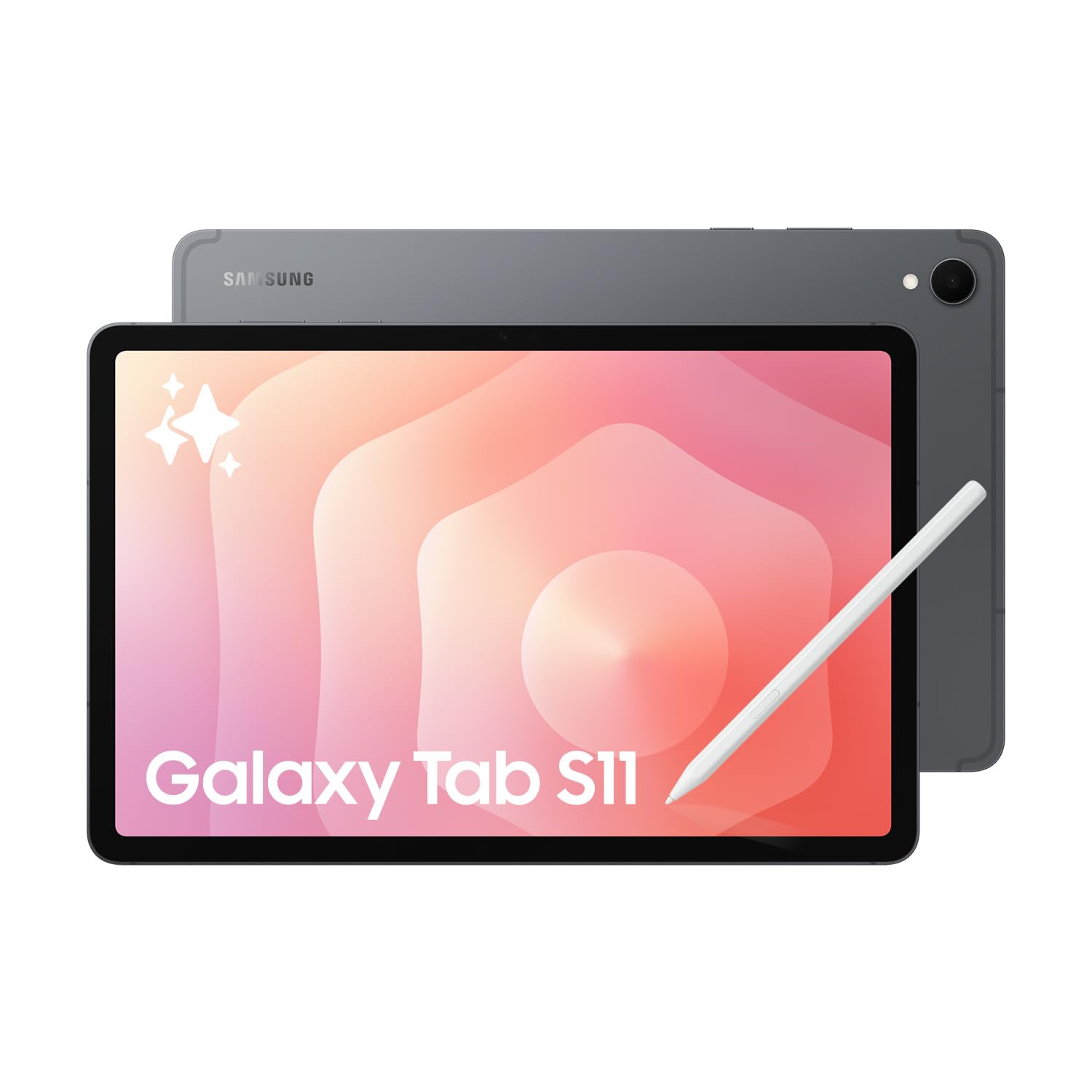
Samsung Galaxy Tab S11
Best fit: Premium Android display and productivity
Biggest reason: 11-inch Dynamic AMOLED 2X 120Hz display with strong Samsung brightness specification
Main compromise: Keyboard is optional
Last checked price
$1,599 AUD
About 10% above recent prices
Lowest recorded $1,299.00 · 1 Sept
Key metrics
The measurable differences worth seeing side by side.
Bar length shows relative stated magnitude only. It is not a quality score or PIQSY rating.
Screen size
10.9 in
11 in
Reference storage
128 GB
256 GB
Weight
497 g
469 g
Key differences
The key differences at a glance.
These confirmed specifications differ. The advice below explains which ones matter for your needs.
8000mAh battery
8400mAh battery
165.8 x 254.3 x 6.0mm
165.3 x 253.8 x 5.5mm
10.9-inch TFT, 2304x1440 WUXGA+, 90Hz; up to 800 nits High Brightness Mode
11.0-inch Dynamic AMOLED 2X, 2560x1600 WQXGA, 120Hz; up to 1000 nits High Brightness Mode and 1600 nits peak brightness
Samsung Exynos 1580; octa-core with CPU speeds up to 2.9GHz / 2.6GHz / 1.9GHz
Octa-core with CPU speeds up to 3.73GHz / 3.3GHz / 2.4GHz
8GB reference configuration
12GB reference configuration
128GB reference configuration; 256GB family option; microSD expansion up to 2TB
256GB reference configuration; family Wi-Fi options 128GB/256GB/512GB; microSD expansion up to 2TB


What matters when choosing
What you'll actually notice
The Galaxy Tab S10 FE already includes several features people often associate with moving up Samsung's range: an S Pen in the box, IP68 protection, microSD expansion and a capable 10.9-inch tablet format. That is why the Galaxy Tab S11 should not be treated as the automatic choice simply because it is the flagship.
The S11 earns the step-up in more specific ways. Its 11-inch Dynamic AMOLED 2X display runs at 120Hz, the version reviewed here has 12GB RAM and 256GB storage, USB 3.2 Gen 1 raises the wired-connectivity ceiling, and Samsung positions DeX more strongly around extended-display multitasking.
PIQSY's exact S10 FE reference is 8GB/128GB while the S11 reference is 12GB/256GB, so this is a tier-step comparison, not a storage-matched price contest. The durable question is whether the flagship capabilities remove a limitation you will actually encounter.
What changes the choice
Is AMOLED 120Hz one of the reasons you are upgrading?
S10 FE uses a 10.9-inch 2304×1440 TFT display at 90Hz. S11 uses an 11.0-inch 2560×1600 Dynamic AMOLED 2X display at 120Hz, with Samsung specifying up to 1,000 nits in High Brightness Mode and 1,600 nits peak brightness.
What this means: S11 crosses a clear display-tier boundary. Buyers who care about OLED contrast, higher refresh rate and a more premium visual experience have a concrete reason to move up.
For documents, notes, browsing and ordinary streaming, the FE display can still be entirely fit for purpose. A better panel does not make every workload more productive.
Switch when: choose S11 when display technology is part of what you are paying to improve. Stay with FE when AMOLED is desirable rather than necessary.
Do you need more multitasking headroom?
The exact S10 FE reference is 8GB/128GB. The S11 reference is 12GB/256GB.
What this means: S11 gives you more installed memory and internal storage in the compared configuration, which supports its heavier multitasking position. That is useful for buyers who expect to run more apps simultaneously or keep the tablet in a broader productivity role.
The different storage capacities also mean you should not describe this as a pure processor-tier comparison. Both support microSD expansion up to 2TB, so removable storage remains available on either product.
Switch when: choose S11 when 12GB RAM provides useful margin for the workload. Stay with FE when 8GB and expandable storage already cover what you do.
Does USB capability matter to your desk setup?
S10 FE uses USB 2.0. S11 uses USB 3.2 Gen 1.
What this means: S11 is the more suitable route for faster wired transfers and higher-bandwidth accessory workflows. A USB-C connector alone does not tell you what the port can do.
If you mostly charge the tablet, sync wirelessly and use ordinary peripherals, the FE's slower protocol may never become a practical limitation. If large file transfers or a more demanding docked workflow are part of the plan, the difference is much more relevant.
Switch when: choose S11 when wired I/O is a requirement rather than an occasional convenience. Stay with FE when your workflow is predominantly wireless.
Does DeX need to be central rather than occasional?
Samsung supports DeX on the S11 and describes an extended-display multitasking workflow with up to four workspaces. Neither version reviewed here includes a keyboard.
What this means: S11 has the stronger case for a desk-oriented Android productivity setup. You still need to budget for the keyboard/accessory arrangement that makes that workflow comfortable.
The FE remains a capable tablet for study and mainstream productivity, but it should not be stretched into the same workstation role simply because both products sit inside Samsung's ecosystem.
Switch when: choose S11 when external-display multitasking and DeX are recurring parts of the week. Stay with FE when productivity mostly happens on the tablet itself.
Do S Pen and IP68 justify the flagship by themselves?
No. Samsung includes the S Pen with both products and applies IP68 claims to each tablet and included S Pen under stated laboratory conditions.
What this means: S11 is not the only route to bundled pen input or Samsung's stronger water-and-dust-resistance proposition. Those capabilities are already part of the FE case.
This matters because it prevents double-counting flagship value. If S Pen and IP68 are your two main requirements, the FE may already satisfy them.
Switch when: only move to S11 if another flagship difference — display, memory, I/O or DeX — matters as well.
What do the physical and battery specifications change?
The S10 FE Wi-Fi reference is 497g and 6.0mm thick. The S11 Wi-Fi reference is 469g and 5.5mm. FE has an 8000mAh battery and Samsung rates it for up to 20 hours of wireless video playback. S11 has an 8400mAh battery and Samsung rates it for up to 18 hours, while supporting 45W Super Fast Charging.
What this means: S11 is thinner and lighter despite being the flagship, but manufacturer video-playback figures do not create a simple real-world battery winner. Different test conditions and workloads matter.
The current S11 S Pen generation also does not retain the previous Bluetooth functionality, so buyers who used remote-style S Pen features should not assume those carried forward.
Switch when: let the thinner/lighter S11 chassis strengthen its flagship case, but do not choose based on a simplistic battery-hours comparison.
The practical choice
The S10 FE is the stronger value when your requirements are already covered by an included S Pen, IP68, expandable storage and competent mainstream performance. It is not a compromise merely because the S11 exists.
The S11 is the more convincing purchase when you can name the flagship capability you need: AMOLED 120Hz, 12GB RAM, USB 3.2 or a more ambitious DeX setup. Those are durable reasons because they change the experience or workflow rather than relying on model hierarchy.
If you cannot identify which S11 capability would change your week, start with the FE. If you already know the FE's display, memory or I/O ceiling would frustrate you, the S11 is the more coherent step.
When to choose Galaxy Tab S10 FE
- Included S Pen, IP68 and microSD already cover the key requirements.
- Study, note-taking, documents and mainstream media dominate the workload.
- 8GB RAM is enough for your multitasking.
- USB 2.0 is not a practical constraint.
- AMOLED 120Hz is appealing but not essential.
When to choose Galaxy Tab S11
- Dynamic AMOLED 2X and 120Hz materially improve the display experience you are buying for.
- 12GB RAM is useful for heavier multitasking.
- USB 3.2 Gen 1 matters for wired transfers or accessories.
- DeX and external-display multitasking are central to the workflow.
- You want those capabilities in the thinner, lighter 11-inch Samsung chassis.
Choose neither when
Choose neither if Windows desktop software is mandatory; neither Android tablet resolves that requirement. If iPadOS is the platform you actually want, settle that ecosystem decision before comparing Samsung hardware tiers.
If a much larger screen is the central requirement, compare a large-format tablet instead of assuming the 11-inch S11 is automatically the right flagship form factor.
PIQSY conclusion
Choose Galaxy Tab S10 FE when its included S Pen, IP68, expandable storage and 8GB platform already cover the real job. Choose Galaxy Tab S11 when AMOLED 120Hz, 12GB RAM, USB 3.2 or DeX-oriented productivity materially changes what you can do.
The S11 is the flagship step-up, but the FE already owns enough premium-adjacent capability that upgrading should be requirement-led. A higher model number is not the decision rule; a capability you will repeatedly use is.
Final choice
Choose the one that fits your needs.
Samsung
Samsung Galaxy Tab S10 FE
Choose when: Balanced study and mainstream productivity
Last checked price
$847 AUD
About 10% above recent prices
Lowest recorded $699.00 · 31 Aug
Samsung
Samsung Galaxy Tab S11
Choose when: Premium Android display and productivity
Last checked price
$1,599 AUD
About 10% above recent prices
Lowest recorded $1,299.00 · 1 Sept
Specifications
Compare the full specifications.
Specifications
Compare the full specifications.
8000mAh battery
8400mAh battery
165.8 x 254.3 x 6.0mm
165.3 x 253.8 x 5.5mm
Unverified
Unverified
ANDROID
ANDROID
SM-X520NZAAXSA, 10.9-inch, 8GB/128GB, Wi-Fi, Grey
SM-X730NZAEXSA, 11.0-inch, 12GB/256GB, Wi-Fi, Grey
10.9-inch TFT, 2304x1440 WUXGA+, 90Hz; up to 800 nits High Brightness Mode
11.0-inch Dynamic AMOLED 2X, 2560x1600 WQXGA, 120Hz; up to 1000 nits High Brightness Mode and 1600 nits peak brightness
Samsung Exynos 1580; octa-core with CPU speeds up to 2.9GHz / 2.6GHz / 1.9GHz
Octa-core with CPU speeds up to 3.73GHz / 3.3GHz / 2.4GHz
8GB reference configuration
12GB reference configuration
128GB reference configuration; 256GB family option; microSD expansion up to 2TB
256GB reference configuration; family Wi-Fi options 128GB/256GB/512GB; microSD expansion up to 2TB
497g Wi-Fi reference configuration
469g Wi-Fi reference configuration
Wi-Fi 6 (802.11ax) with MIMO; Bluetooth 5.3
Wi-Fi 6E tri-band support; Bluetooth 5.4
Wi-Fi reference configuration; separate Galaxy Tab S10 FE 5G family variants are sold in Australia
Wi-Fi reference configuration; separate Galaxy Tab S11 5G family variants are sold in Australia
13MP autofocus rear; 12MP front; rear video up to UHD 4K 30fps
13MP autofocus rear with flash; 12MP front; rear video up to UHD 4K 30fps
8000mAh typical; Samsung rates up to 20 hours wireless video playback
8400mAh typical; Samsung rates up to 18 hours wireless video playback; supports 45W Super Fast Charging
S Pen supported and included in the box
New hexagon-shaped S Pen supported and included in the box; no Bluetooth functionality on this S Pen generation
Yes
Yes
Compatible with Book Cover Keyboard and Book Cover Keyboard Slim
Supports Book Cover Keyboard Slim
No
No
USB-C, USB 2.0
USB-C, USB 3.2 Gen 1
Yes
Yes
IP68 for Galaxy Tab S10 FE and included S Pen under Samsung lab conditions
IP68 for Galaxy Tab S11 and included S Pen under Samsung conditions
2032-04-30
2032-09-30
Unverified
Armour Aluminum
Unverified
Samsung DeX supports extended-display multitasking with up to four workspaces
Keep comparing
Related comparisons worth checking.
Still not clear?
Let your own priorities break the tie.
Keep Exploring
How we checked this
See the Australian models and sources PIQSY checked for this page.
How we checked this
See the Australian models and sources PIQSY checked for this page.
How we checked this
How PIQSY checked this page
We checked the Australian model and dated manufacturer or retailer sources rather than borrowing specifications from an overseas variant.
Australian model checked
2 Australian models checked
Sources used
Manufacturer · Amazon AU · Australian retailer
Sources checked through 1 Sept 2026
Last checked
2 Sept 2026
Current price and availability are checked separately where shown.
Hands-on testing: PIQSY has not physically tested this product for this page unless hands-on testing is explicitly disclosed.
What we could and couldn’t verify: If specifications conflict, cannot be matched to the Australian variant or cannot be confirmed, we leave them unresolved rather than guessing. Owner feedback is shown only when we can attribute it to the product we checked.
See models and source details
- Samsung Galaxy Tab S10 FE: SM-X520NZAAXSA, 10.9-inch, 8GB/128GB, Wi-Fi, Grey
- Samsung Galaxy Tab S11: SM-X730NZAEXSA, 11.0-inch, 12GB/256GB, Wi-Fi, Grey
Sources used
- Manufacturer · samsung.com · Samsung Galaxy Tab S10 FE · checked 31 Aug 2026
- Manufacturer · samsung.com · Samsung Galaxy Tab S10 FE · checked 31 Aug 2026
- Amazon AU · amazon.com.au · Samsung Galaxy Tab S10 FE · checked 31 Aug 2026
- Australian retailer · thegoodguys.com.au · Samsung Galaxy Tab S10 FE · checked 31 Aug 2026
- Manufacturer · samsung.com · Samsung Galaxy Tab S11 · checked 1 Sept 2026
- Manufacturer · samsung.com · Samsung Galaxy Tab S11 · checked 1 Sept 2026
- Australian retailer · thegoodguys.com.au · Samsung Galaxy Tab S11 · checked 1 Sept 2026
- Amazon AU · amazon.com.au · Samsung Galaxy Tab S11 · checked 1 Sept 2026