
PIQSY Compare
Samsung Galaxy Tab S10 Lite vs Samsung Galaxy Tab S10 FE
Compare Galaxy Tab S10 Lite and S10 FE by included S Pen, memory, display, durability, battery, cameras and the upgrade thresholds that actually matter.
The choice that matters
Choose the affordable Samsung for straightforward pen use.
Choose the upgraded Samsung for greater everyday durability.

Decision snapshot
Start with how you’ll use it.
Samsung
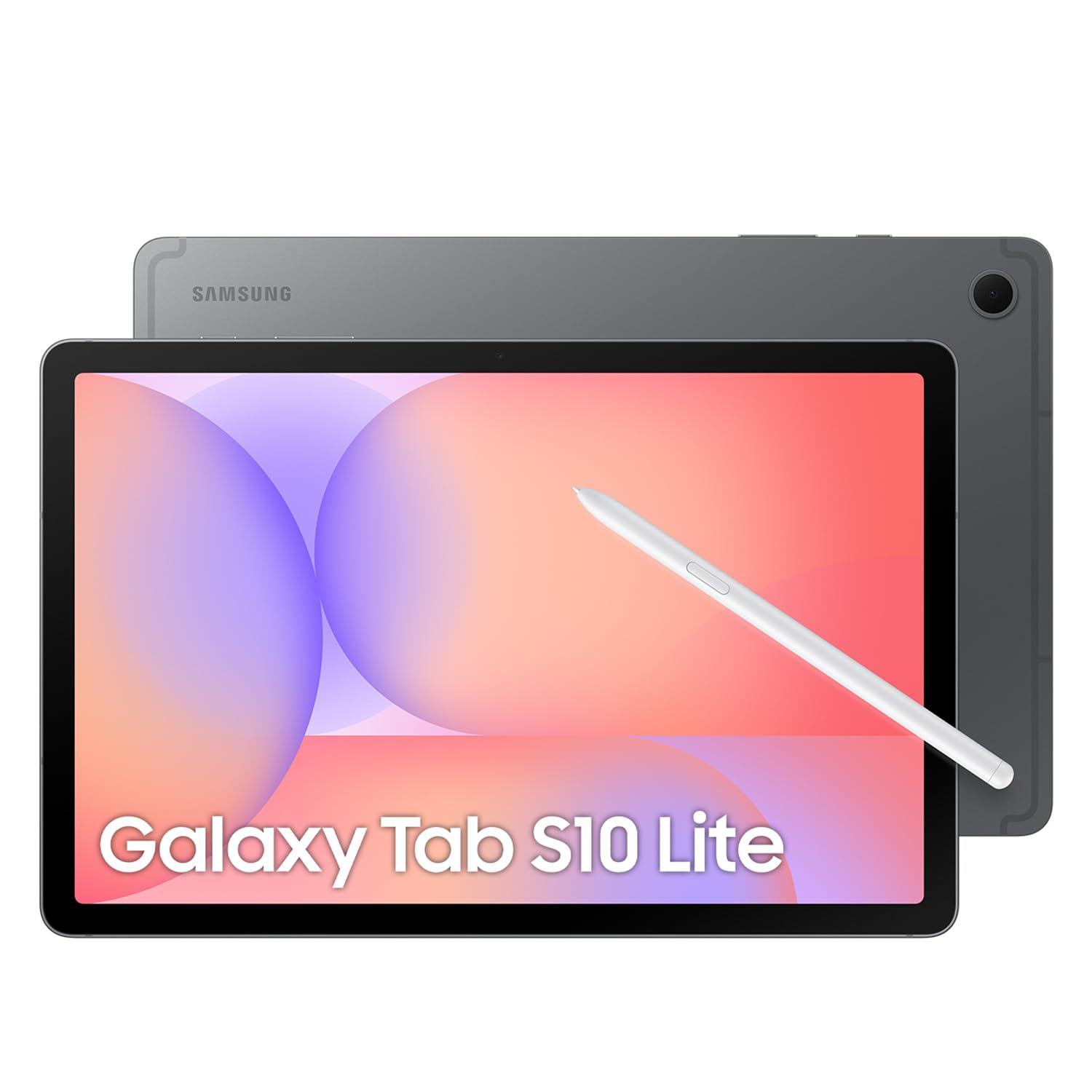
Samsung Galaxy Tab S10 Lite
Best fit: Pen-led study and mainstream use
Biggest reason: S Pen included in the exact AU box
Main compromise: TFT rather than AMOLED display
Last checked price
$629 AUD
About 18% above recent prices
Lowest recorded $453.44 · 6 Sept
Samsung
Samsung Galaxy Tab S10 FE
Best fit: Stronger all-round study and productivity
Biggest reason: S Pen included in the exact AU model family
Main compromise: TFT rather than AMOLED display
Last checked price
$847 AUD
About 10% above recent prices
Lowest recorded $699.00 · 31 Aug
Key differences
The key differences at a glance.
These confirmed specifications differ. The advice below explains which ones matter for your needs.
165.8 x 254.3 x 6.6mm
165.8 x 254.3 x 6.0mm
10.9-inch TFT, 2112x1320 WUXGA+, 90Hz
10.9-inch TFT, 2304x1440 WUXGA+, 90Hz; up to 800 nits High Brightness Mode
Octa-core, up to 2.4GHz / 2.0GHz
Samsung Exynos 1580; octa-core with CPU speeds up to 2.9GHz / 2.6GHz / 1.9GHz
6GB reference configuration; 8GB on 256GB family variants
8GB reference configuration
524g Wi-Fi reference configuration
497g Wi-Fi reference configuration
Wi-Fi 6 (802.11ax) 2.4/5GHz with MIMO; Bluetooth 5.3
Wi-Fi 6 (802.11ax) with MIMO; Bluetooth 5.3


What matters when choosing
What you'll actually notice
The most important thing about this comparison is what does not change. Both tablets already give you an included S Pen, a 10.9-inch 90Hz TFT display, an 8000mAh typical battery and microSD expansion up to 2TB. The S10 Lite is therefore not a pretend pen tablet that needs an immediate upgrade.
The Galaxy Tab S10 FE earns its place when you want more headroom around that same basic idea. PIQSY's exact FE reference moves to 8GB RAM, Samsung's Exynos 1580 platform, a higher-resolution display, IP68 protection and stronger camera hardware while also becoming slightly thinner and lighter.
That means the FE should be bought because one or more of those differences affects your real use. If your week is mostly notes, documents, browsing, streaming and ordinary study apps, the S10 Lite can already be enough. If the tablet will be carried through campus, used more heavily for multitasking or kept for a broader productivity role, the FE has the stronger case.
What changes the choice
Is the S Pen actually different enough to justify the FE?
Samsung includes the S Pen with both references.
What this means: the basic handwriting, note-taking and annotation workflow is already available on the S10 Lite. Moving to the FE simply to obtain a pen would be paying twice for a requirement the Lite already satisfies.
The FE may still feel like the more complete tablet around the pen because of its stronger platform and durability, but pen inclusion itself is not the upgrade trigger.
Switch when: stay with S10 Lite when the included pen is the main reason you are shopping in this tier. Move to FE when the rest of the tablet — not merely the stylus — needs to be stronger.
Will 8GB RAM and Exynos 1580 change your workload?
PIQSY's S10 Lite reference is 6GB/128GB. The S10 FE reference is 8GB/128GB and uses Samsung's Exynos 1580 platform.
What this means: FE gives you more memory and a stronger hardware base for heavier multitasking and a longer productivity horizon. That is a real capability step, but it should not be converted into a generic claim that every app becomes meaningfully better.
For notes, web research, PDFs and normal media, 6GB may still be enough. The FE becomes easier to justify when you expect more simultaneous apps, more demanding workflows or want more margin before the device feels constrained.
Switch when: choose FE if workload headroom is part of the purchase. Stay with Lite when the device is primarily a note-taking and mainstream-use tablet.
Does the display upgrade solve a real problem?
S10 Lite uses a 2112×1320 TFT display at 90Hz. S10 FE uses a 2304×1440 TFT display at 90Hz, and Samsung specifies up to 800 nits in High Brightness Mode for the FE.
What this means: FE gives you a sharper and more capable mainstream display, but it does not cross into Samsung's AMOLED flagship tier. If you are moving up because you specifically want OLED-class contrast or 120Hz, the FE still does not solve that requirement.
Switch when: let the FE display matter when you value the sharper panel as part of a wider upgrade. If AMOLED itself is the goal, compare the Galaxy Tab S11 instead of stretching this decision.
How much should IP68 matter?
Samsung gives the S10 FE and its included S Pen an IP68 rating under stated laboratory conditions. The S10 Lite evidence does not carry the same FE-style IP68 proposition.
What this means: for campus, commuting and family use, the FE has a more meaningful durability case. IP68 should still be treated within Samsung's stated limits rather than as a promise of unrestricted water exposure.
This is one of the clearest reasons to step up because it changes risk tolerance during everyday ownership rather than adding another headline feature you may never use.
Switch when: choose FE when the tablet will regularly leave the house, move between classrooms or be used in environments where stronger ingress resistance gives you practical confidence. Stay with Lite when that durability difference has little relevance to the way you will use it.
Are the physical and camera differences meaningful to you?
The S10 Lite reference is 524g and 6.6mm thick. The S10 FE Wi-Fi reference is 497g and 6.0mm. The Lite uses an 8MP rear and 5MP front camera; the FE uses 13MP rear and 12MP front cameras.
What this means: FE manages to be the stronger tablet without asking you to carry a heavier chassis. The better camera hardware can also be useful for document capture and calls, although cameras should remain secondary if your real priorities are notes, display and software.
Switch when: FE becomes more attractive if you carry the tablet daily and value the combination of lower weight, thinner body and stronger hardware. Do not upgrade purely because the camera megapixel numbers are larger unless tablet imaging is genuinely part of your workflow.
The practical choice
The S10 Lite is the value of sufficiency. It already gives you the S Pen, expandable storage, a 90Hz display and an 8000mAh battery in a package that suits study and ordinary Android use.
The S10 FE is the value of headroom. It keeps the same basic pen-led proposition but adds 8GB RAM, Exynos 1580, IP68, a sharper display and a lighter/thinner chassis. Those improvements make sense when the tablet is expected to do more, travel more or remain useful across a broader set of tasks.
Do not upgrade because FE sounds more complete on paper. Upgrade because at least one of its capability boundaries would otherwise become a recurring compromise.
When to choose Galaxy Tab S10 Lite
- The included S Pen is the main feature you need.
- Notes, study, browsing and mainstream media dominate the workload.
- 6GB/128GB is sufficient and microSD handles larger file libraries.
- You do not require the FE's IP68 proposition or extra multitasking headroom.
- A premium AMOLED display is not the reason you are buying.
When to choose Galaxy Tab S10 FE
- IP68 protection materially matters for commuting, campus or family use.
- 8GB RAM and the Exynos 1580 platform better match the workload.
- The sharper display, thinner body and lower weight improve daily use.
- You expect heavier multitasking or a longer productivity horizon.
- Stronger camera hardware is useful for calls or document capture.
Choose neither when
Choose neither if AMOLED/120Hz, USB 3-class wired connectivity or higher-end DeX workflow is a hard requirement; that pushes the decision toward the Galaxy Tab S11 tier.
If iPadOS or Windows desktop software is non-negotiable, settle the platform requirement first rather than trying to make either Samsung tablet fit a different software job.
PIQSY conclusion
Choose Galaxy Tab S10 Lite when the included S Pen and expandable storage already solve the problem. Choose Galaxy Tab S10 FE when durability, stronger hardware and extra headroom materially change the way you will use the tablet.
The FE is the stronger all-round device, but that does not make it the automatic purchase. The Lite remains coherent when your needs are pen-led and mainstream. The FE earns the step-up when its IP68 protection, 8GB RAM, Exynos 1580 platform or improved physical package removes a compromise you would otherwise notice repeatedly.
Final choice
Choose the one that fits your needs.
Samsung
Samsung Galaxy Tab S10 Lite
Choose when: Pen-led study and mainstream use
Last checked price
$629 AUD
About 18% above recent prices
Lowest recorded $453.44 · 6 Sept
Samsung
Samsung Galaxy Tab S10 FE
Choose when: Stronger all-round study and productivity
Last checked price
$847 AUD
About 10% above recent prices
Lowest recorded $699.00 · 31 Aug
Specifications
Compare the full specifications.
Specifications
Compare the full specifications.
8000mAh battery
8000mAh battery
165.8 x 254.3 x 6.6mm
165.8 x 254.3 x 6.0mm
Unverified
Unverified
ANDROID
ANDROID
SM-X400NZSAXSA, 10.9-inch, 6GB/128GB, Wi-Fi, Silver
SM-X520NZAAXSA, 10.9-inch, 8GB/128GB, Wi-Fi, Grey
10.9-inch TFT, 2112x1320 WUXGA+, 90Hz
10.9-inch TFT, 2304x1440 WUXGA+, 90Hz; up to 800 nits High Brightness Mode
Octa-core, up to 2.4GHz / 2.0GHz
Samsung Exynos 1580; octa-core with CPU speeds up to 2.9GHz / 2.6GHz / 1.9GHz
6GB reference configuration; 8GB on 256GB family variants
8GB reference configuration
128GB reference configuration; 256GB family option; microSD expansion up to 2TB
128GB reference configuration; 256GB family option; microSD expansion up to 2TB
524g Wi-Fi reference configuration
497g Wi-Fi reference configuration
Wi-Fi 6 (802.11ax) 2.4/5GHz with MIMO; Bluetooth 5.3
Wi-Fi 6 (802.11ax) with MIMO; Bluetooth 5.3
Wi-Fi reference configuration; separate Galaxy Tab S10 Lite 5G family variants are sold in Australia
Wi-Fi reference configuration; separate Galaxy Tab S10 FE 5G family variants are sold in Australia
8MP autofocus rear; 5MP front; FHD 30fps video recording
13MP autofocus rear; 12MP front; rear video up to UHD 4K 30fps
8000mAh typical; Samsung rates up to 16 hours wireless video playback
8000mAh typical; Samsung rates up to 20 hours wireless video playback
S Pen supported and included in the box
S Pen supported and included in the box
Yes
Yes
Compatible with Book Cover Keyboard and Book Cover Keyboard Slim
Compatible with Book Cover Keyboard and Book Cover Keyboard Slim
No
No
USB-C, USB 2.0
USB-C, USB 2.0
Yes
Yes
2032-08-31
2032-04-30
Unverified
IP68 for Galaxy Tab S10 FE and included S Pen under Samsung lab conditions
Keep comparing
Related comparisons worth checking.
Still not clear?
Let your own priorities break the tie.
Keep Exploring
How we checked this
See the Australian models and sources PIQSY checked for this page.
How we checked this
See the Australian models and sources PIQSY checked for this page.
How we checked this
How PIQSY checked this page
We checked the Australian model and dated manufacturer or retailer sources rather than borrowing specifications from an overseas variant.
Australian model checked
2 Australian models checked
Sources used
Manufacturer · Amazon AU · Australian retailer
Sources checked through 31 Aug 2026
Last checked
2 Sept 2026
Current price and availability are checked separately where shown.
Hands-on testing: PIQSY has not physically tested this product for this page unless hands-on testing is explicitly disclosed.
What we could and couldn’t verify: If specifications conflict, cannot be matched to the Australian variant or cannot be confirmed, we leave them unresolved rather than guessing. Owner feedback is shown only when we can attribute it to the product we checked.
See models and source details
- Samsung Galaxy Tab S10 Lite: SM-X400NZSAXSA, 10.9-inch, 6GB/128GB, Wi-Fi, Silver
- Samsung Galaxy Tab S10 FE: SM-X520NZAAXSA, 10.9-inch, 8GB/128GB, Wi-Fi, Grey
Sources used
- Manufacturer · samsung.com · Samsung Galaxy Tab S10 Lite · checked 31 Aug 2026
- Manufacturer · samsung.com · Samsung Galaxy Tab S10 Lite · checked 31 Aug 2026
- Amazon AU · amazon.com.au · Samsung Galaxy Tab S10 Lite · checked 31 Aug 2026
- Manufacturer · samsung.com · Samsung Galaxy Tab S10 FE · checked 31 Aug 2026
- Manufacturer · samsung.com · Samsung Galaxy Tab S10 FE · checked 31 Aug 2026
- Amazon AU · amazon.com.au · Samsung Galaxy Tab S10 FE · checked 31 Aug 2026
- Australian retailer · thegoodguys.com.au · Samsung Galaxy Tab S10 FE · checked 31 Aug 2026